Free
$0
- Unlimited lists and items
- Share a household with up to 4 people
- Paste messages, no limit
- 3 paper-list scans a month
- 3 recipe scans or imports a month
- 5 AI recipes a month
- 2 receipt scans a month
Snap a paper list or paste a message. Kartov turns it into an organized list your whole household can shop from.


How it works
The whole thing, start to finish, in the current app.
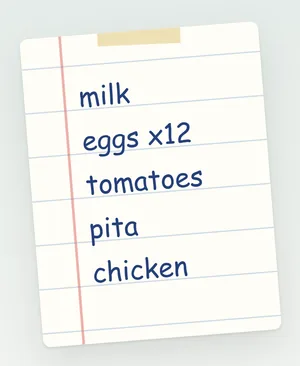
Your usual list, on paper. Handwritten or printed both work.

Open your list, tap Scan and photograph the page. A photo you already took works too.
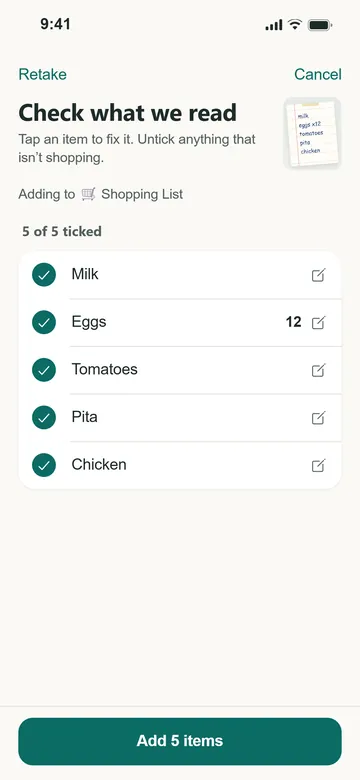
Reading usually takes a few seconds. Then every line comes back for you to check. Fix a word or untick anything that isn't shopping.
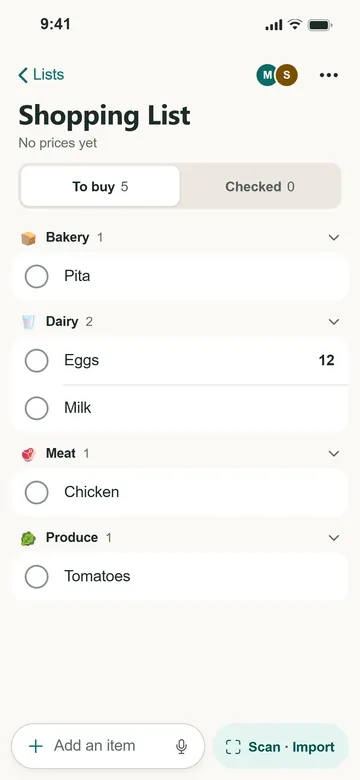
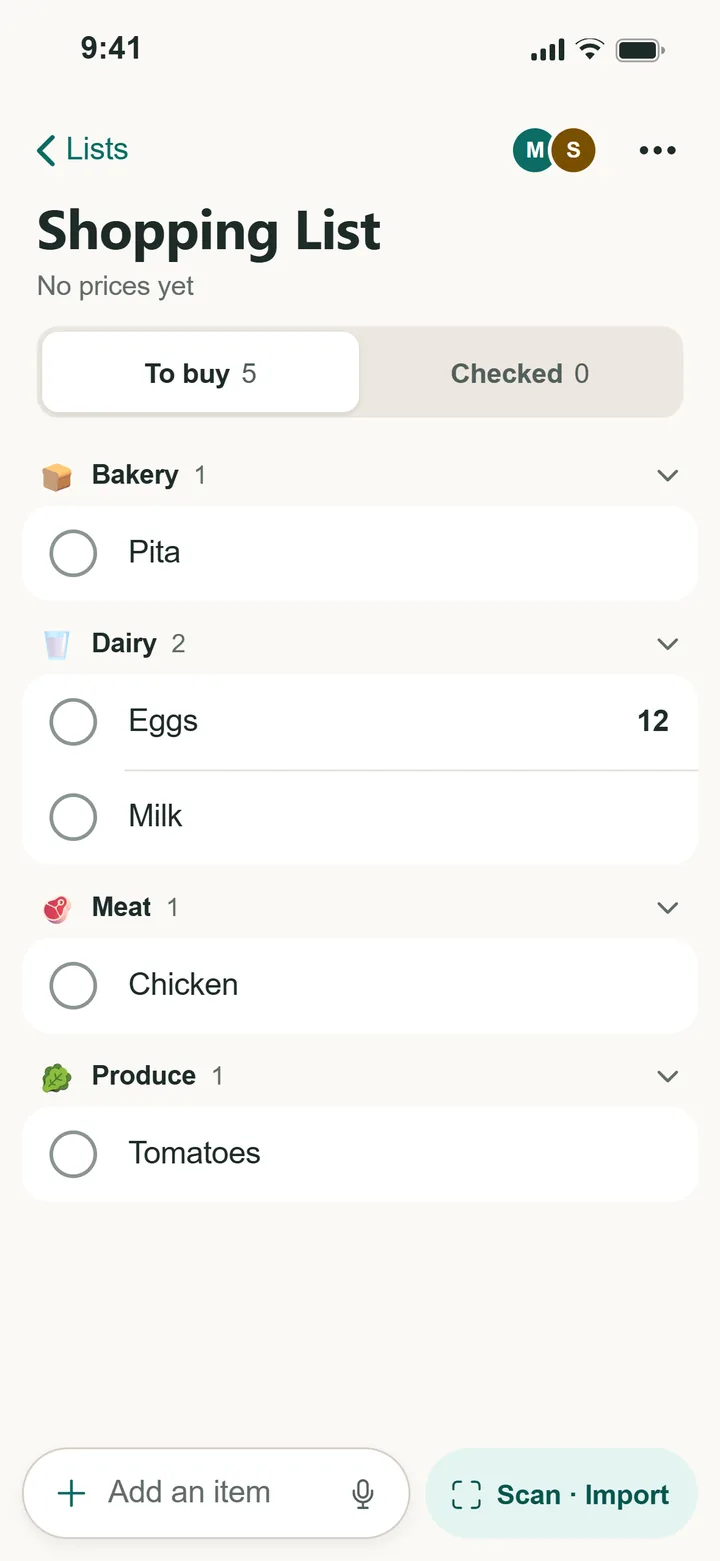
Items go into sections like Dairy, Produce and Bakery, so you can shop one part of the store at a time.
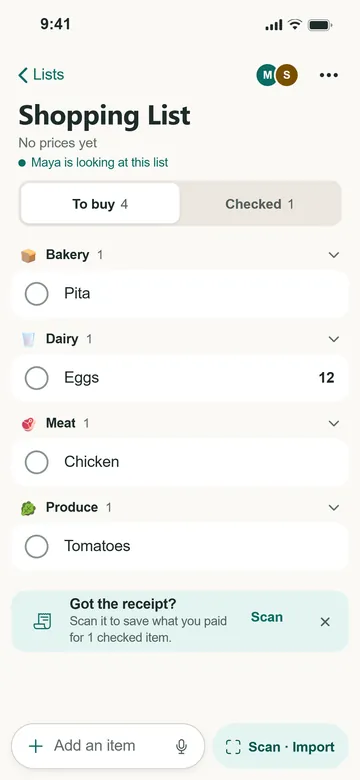
Sam checks off the milk at the store. It's checked off on Maya's phone too.
Paper lists
Take a photo of the list on the fridge. Kartov reads each line, sorts the items into sections, and shows you everything before it goes on your list.
Messages
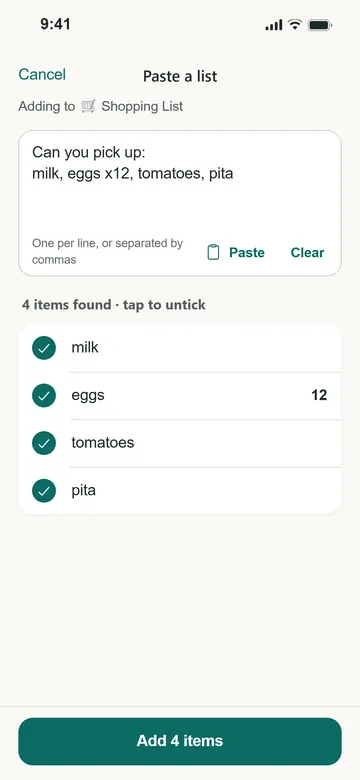
Copy the message and paste it into Kartov. Each line, or each item between commas, becomes its own item. Amounts like "eggs x12" come through as a quantity.
Households
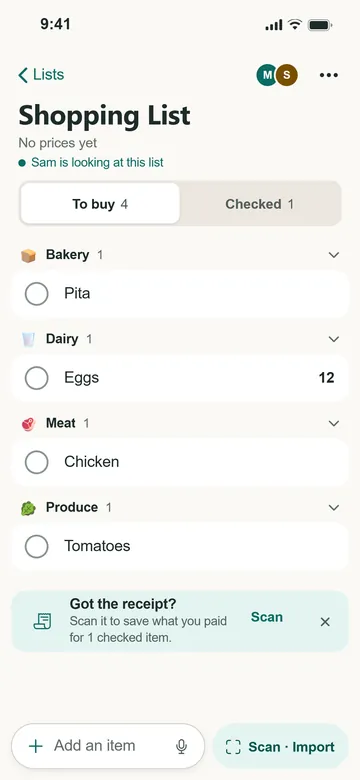
Invite your household with a link. Everyone sees the same lists on their own phone. When Sam checks off the milk at the store, it moves to Checked on Maya's phone at home. You can also see who else has the list open.
Recipes
Type a dish. Kartov looks in your saved recipes, and can write one with AI or bring one in from a link. You see the whole recipe first, then choose which ingredients go on your list.
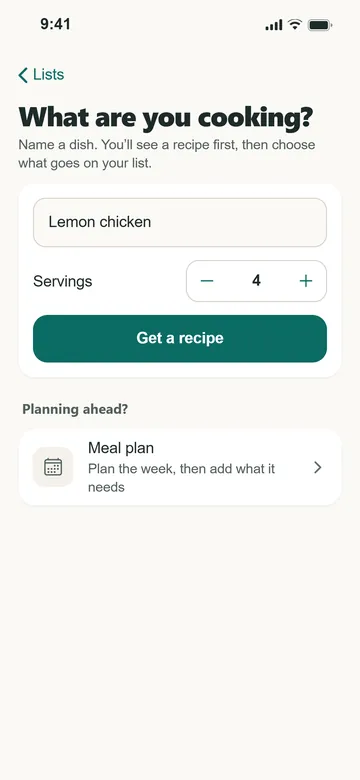
Name a dish. Set how many you're cooking for.
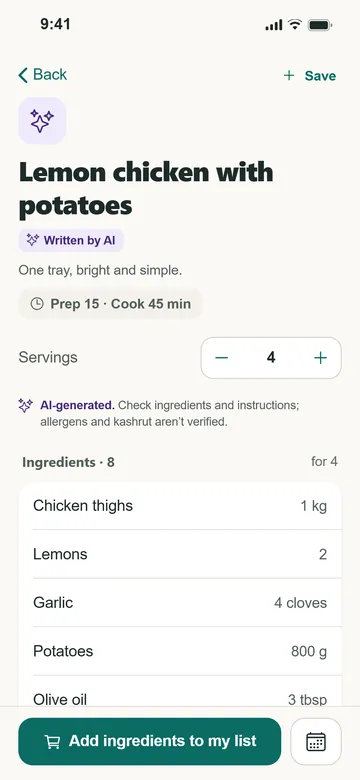
Read the recipe. AI recipes are marked, with a reminder to check allergens.
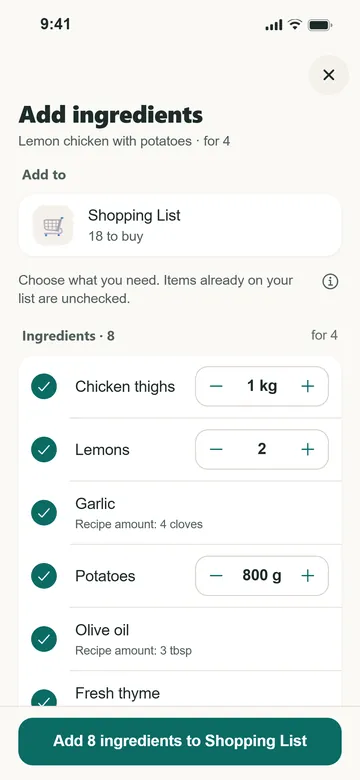
Pick what you need. Things already on your list start unticked.
Planning the week? There's a meal planner too, and it adds what the week needs to your list.
Also in Kartov
Scan a receipt after shopping. Kartov matches it to your list, checks off what you bought and keeps the prices.
Free: 2 a month
Scan a product's barcode to add it by name.
iPhone and Android apps
Your lists stay on your phone. Items you add without a connection sync when you're back online.
Scanning needs a connection
Put staples on a schedule, like milk every week, and they come back on their own.
Pro
Pricing
Everyone in a household can add, check off and share lists for free, on any phone. Pro adds more scans and a few extras.
$0
$1.99 a month
or $19.99 a year
$3.99 a month
or $39.99 a year
Scan allowances are per person. Everyone in a household gets their own free scans each month.
Prices are in US dollars. The App Store or Google Play shows the price for your country before you subscribe. You subscribe in the iPhone or Android app and can cancel in your store account.
New subscribers may be offered a free trial. The store shows its length and terms before you confirm.
Questions
Yes. Kartov is on the App Store and Google Play, and there's a web app at kartov.app. One household can mix iPhones, Android phones and browsers, and everyone sees the same lists. The web app doesn't send notifications or sell subscriptions.
Yes. Create a household and invite people with a link or a code. Everyone can add items and check them off, and changes show up on everyone's phone. Sharing is free. A household owned by a free account can have up to 4 people.
Yes. Take a photo of a handwritten or printed list. Kartov reads each line and sorts the items into sections. You check every item, and fix anything it misread, before anything is added. Free accounts get 3 scans a month.
Yes. Paste text from WhatsApp, Notes, a text or an email. Kartov splits it into items, one per line or separated by commas, and you untick anything that isn't shopping. Pasting is free and has no monthly limit.
Unlimited lists and items, sharing with up to 4 people, pasting and barcode scanning. Each month you also get 3 paper-list scans, 3 recipe scans or imports, 5 AI recipes and 2 receipt scans. Pro raises the monthly scans and adds recurring items and exports.
For the basics, yes. Your lists stay on your phone, and items you add without a connection are saved and sync when you're back online. Checking items off offline works while the app stays open. Scanning, recipes and receipts need a connection.

Kartov is free on iPhone and Android.
Rather use a browser? Open the web app
On a computer? Scan this with your phone's camera to get the app.